 Macaroom
Mac storage full? Where the space really went
If your Mac says its disk is almost full and you can't think what you've added, it's usually not your files. It's things apps and macOS store for you, out of sight.
First, check what Storage settings says
Open System Settings › General › Storage and wait for the bar to finish. Look at which colour is biggest:
| Biggest category | What it usually means |
|---|---|
| System Data | Caches, app data, phone backups and developer tools. What is System Data? |
| Applications | Large apps and games, or apps you no longer use |
| Documents | Big files in your folders: downloads, videos, disk images |
| Photos, Messages, Mail | The libraries of those apps. Clean them up from inside each app |
| macOS | The system itself. Leave it alone |
The places space hides
- Downloads. Old installers (.dmg, .pkg, .zip) you only needed once.
- iPhone backups. A full copy of a phone for every device you've backed up. How to delete them
- App caches. Browsers, Spotify and creative apps can hold gigabytes. What's safe
- Chat attachments. Years of photos and videos in Messages, WhatsApp or Slack.
- Leftovers from deleted apps. Dragging an app to the Trash leaves its data behind.
- Developer tools, if you've ever installed Xcode, Docker or local AI models.
Free space safely, in this order
- Empty the Trash, including the Trash inside Photos (Recently Deleted).
- Sort Downloads by size and remove old installers.
- Delete old iPhone backups in Finder.
- Clear caches of big apps you've quit.
- Remove apps you don't use, and their leftover data.
- Use Apple's own tools in Storage settings, such as Store in iCloud and Optimise Storage, if they suit you.
How much free space you need
macOS needs free space to run well: for updates, virtual memory and temporary files. When the disk is nearly full, apps get slow and updates can fail to install. Keeping a healthy amount free avoids that.
Questions people ask
Why is my Mac storage full when I have few files?
Because most of the space isn't your files. App data, caches, phone backups and developer tools are stored out of sight and counted as System Data.
What can I delete to free space on my Mac?
Safe first steps: emptying the Trash, old installers in Downloads, old iPhone backups, and caches of apps you've quit. Leave system folders and app data you can't identify.
Does deleting apps free up all their space?
Not always. Dragging an app to the Trash removes the app, but its data and caches in ~/Library often stay behind.
Related guides
- How to clear System Data on Mac, step by step
- System Data taking 100 GB or more? Here's why
- What happened to Other storage on Mac?
See it on your own Mac
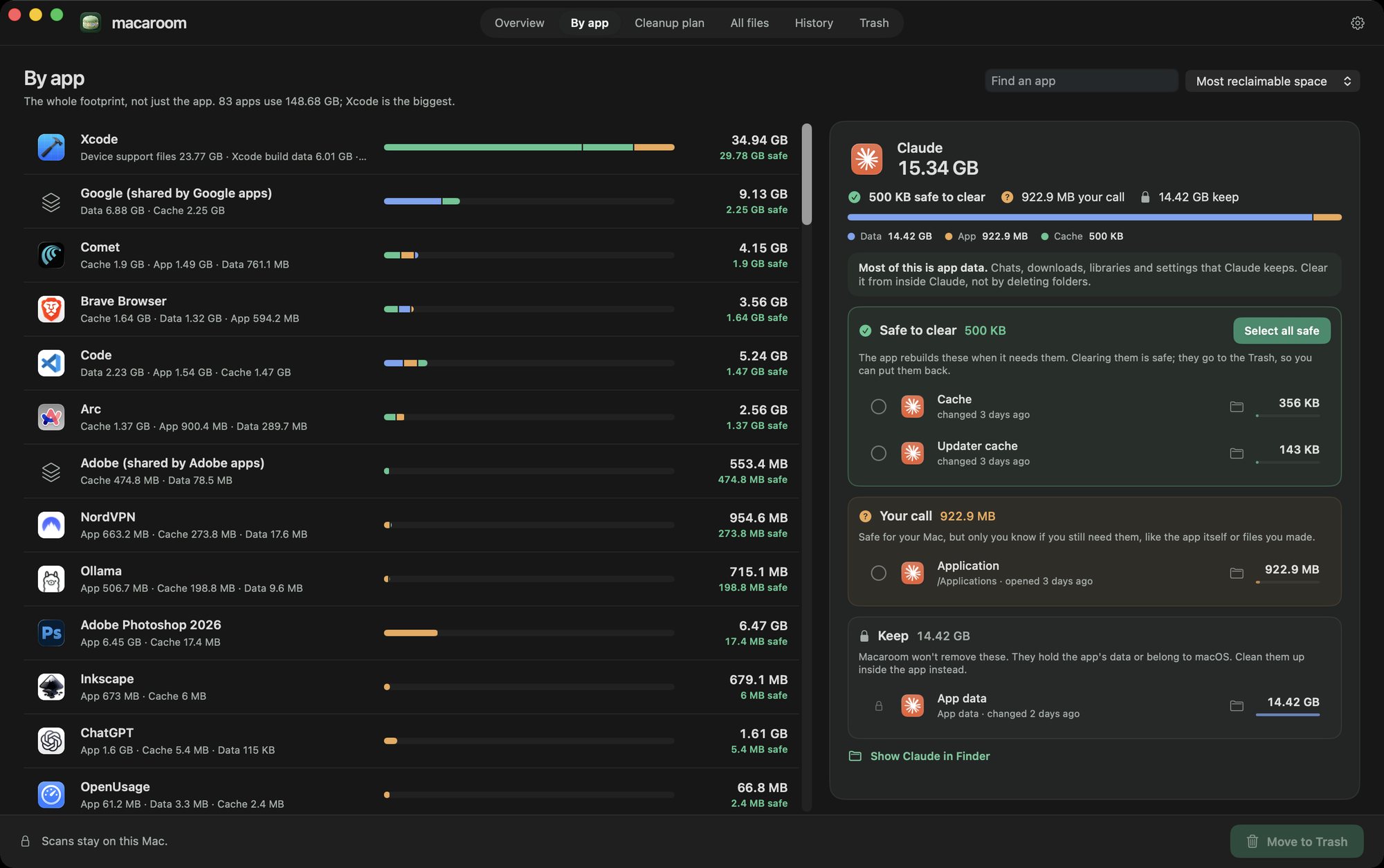
Macaroom scans your Mac, names what each chunk of storage is, and marks what's safe to clear. Anything you remove goes to the Trash, so you can put it back.
Get Macaroom